SNRG Consulting, Inc.
Text messages are your choice
Our optional SMS program covers inquiry follow-ups, consultation scheduling, appointment confirmations, and related project, account, or service updates. It does not include promotional texts. This page explains the consent step on our Map My Business form and, further down, how people agree to texts from Sara, SNRG's AI assistant. It is not a separate sign-up form.
Open the Map My Business formWhere you make that choice
- Open Map My Business and select Start.
- Answer the business questionnaire to reach Get your full written scope.
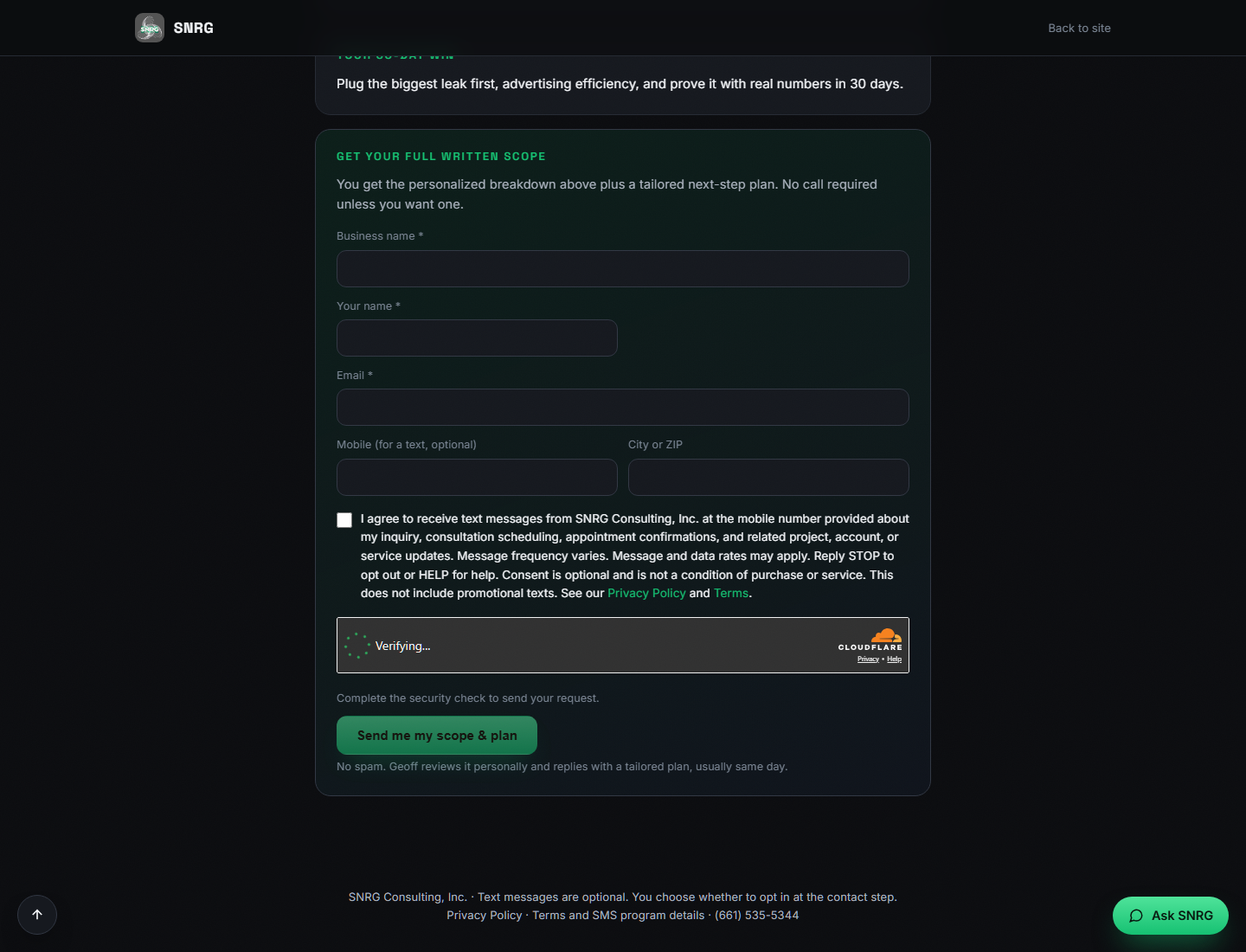
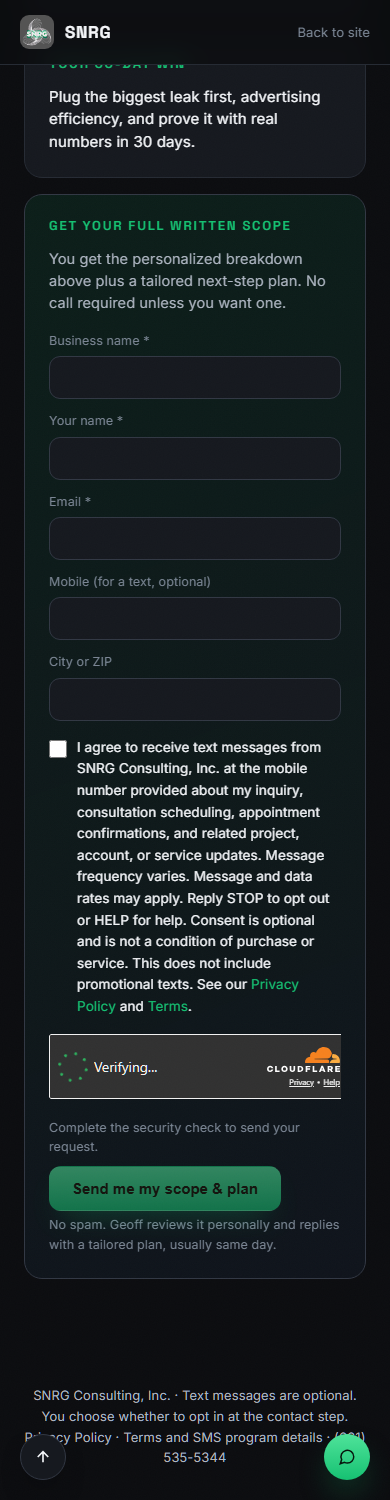
- At that contact step, you can enter an optional mobile phone number. A separate SMS checkbox appears beside the complete disclosure below. The checkbox is unchecked by default.
- Select the checkbox only if you want the described text messages. You can submit your inquiry, including a phone number, without selecting SMS consent.
Providing a phone number is not SMS consent. Neither submitting the inquiry nor accepting general terms enrolls you in text messages. SMS consent is optional and is not a condition of purchase or service.
The disclosure beside the checkbox
This is the full SMS consent language shown at the contact step. The policy links are part of that disclosure.
I agree to receive text messages from SNRG Consulting, Inc. at the mobile number provided about my inquiry, consultation scheduling, appointment confirmations, and related project, account, or service updates. Message frequency varies. Message and data rates may apply. Reply STOP to opt out or HELP for help. Consent is optional and is not a condition of purchase or service. This does not include promotional texts. See our Privacy Policy and Terms.
See the actual contact step
These screenshots show the blank contact form and its unchecked SMS checkbox as displayed on September 5, 2026, Pacific time. They are screenshots of the form, not interactive controls. Open either image to read it at full size.
Texts from Sara, SNRG's AI assistant
Sara is SNRG's AI assistant to its owner, Geoff Montalvo. She texts SNRG's existing business clients, their staff, and business contacts Geoff works with, one to one, from (661) 766-5621, about meetings, scheduling, project status and requests, and replies to their messages. Texts Sara starts are approved by Geoff first. No marketing, promotions, lead generation, or purchased or shared lists. Every first message names SNRG and says Sara is an AI assistant. Her texts never include patient or health information.
Only the phone's own user can agree. A coworker, manager or client cannot agree for someone else, and a phone number shared with SNRG is not agreement. Neither is an email signature or a group chat. In those cases we reach you by email first, and you decide.
People agree in one of three ways:
- They text Sara at (661) 766-5621 first. Sara replies in that conversation. Before she starts any later text, she asks in the chat if she may keep texting them about meetings and projects with Geoff; only a YES reply turns that on. Her ask, word for word:
May I keep texting you about meetings and projects with Geoff? Reply YES.
We keep the reply, the time it was sent and its message ID. Until the carrier registration for her texts is approved, Sara may also start a text about a meeting with Geoff, approved by Geoff first, to someone who texted her before. After that, only a YES turns on texts she starts. - They open a personal invite link from SNRG, https://snrg.me/map-my-business#invite=[token], and check an unchecked SMS box beside this disclosure:
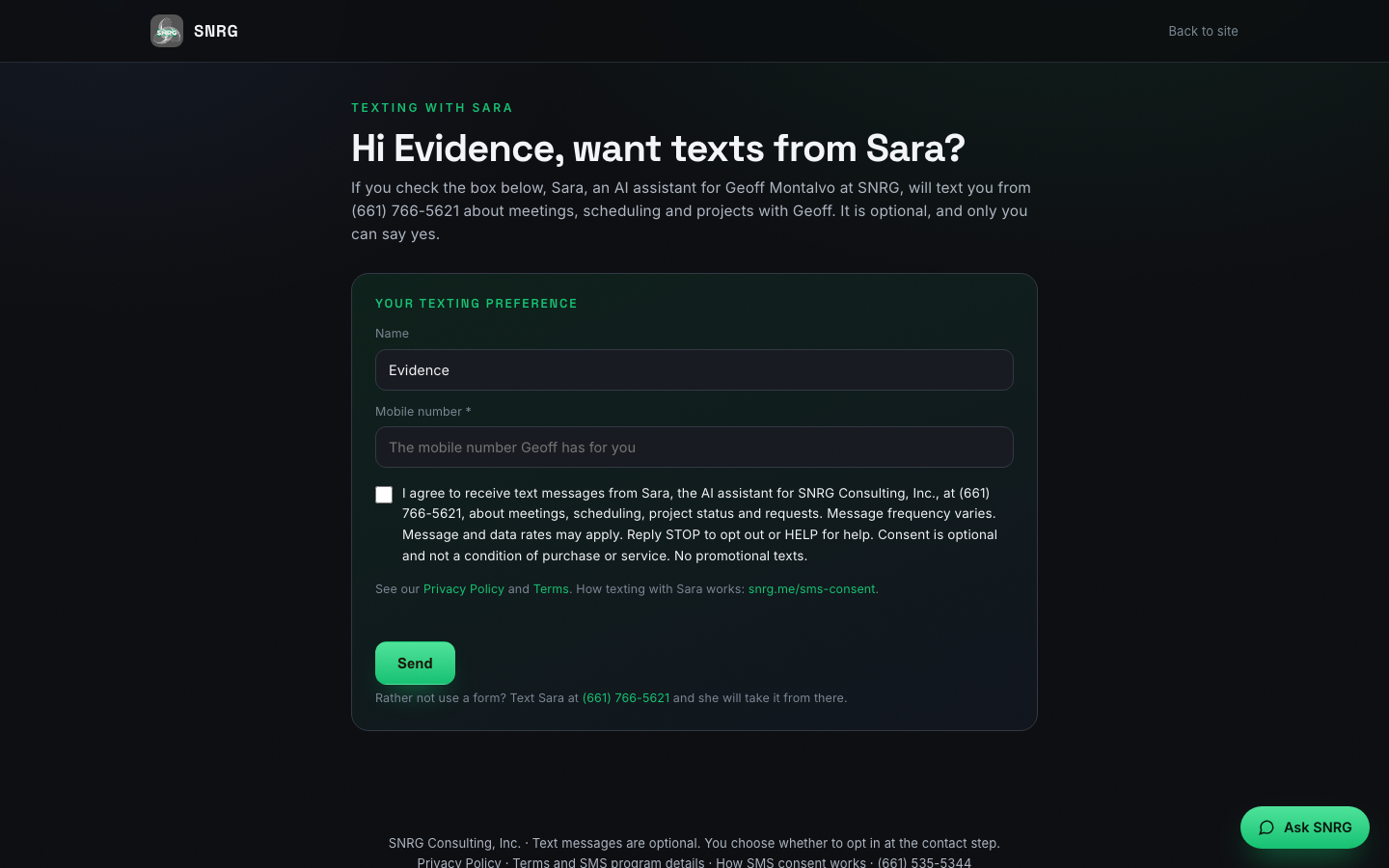
I agree to receive text messages from Sara, the AI assistant for SNRG Consulting, Inc., at (661) 766-5621, about meetings, scheduling, project status and requests. Message frequency varies. Message and data rates may apply. Reply STOP to opt out or HELP for help. Consent is optional and not a condition of purchase or service. No promotional texts.
When Geoff would like Sara to reach someone, Sara emails them the link. It opens our Map My Business page in a short texting view with their name filled in. Before the box, the page says:If you check the box below, Sara, an AI assistant for Geoff Montalvo at SNRG, will text you from (661) 766-5621 about meetings, scheduling and projects with Geoff. It is optional, and only you can say yes.
The person types their mobile number, which must be the number SNRG has for them, and checks the box only if they want the texts. The link is only for them, works once and expires after 14 days. [token] stands for the one-time key in each real link; the address exactly as written opens a read-only sample of the same view.These screenshots show the live invite view on October 3, 2026, Pacific time, opened from a real one-time link issued to SNRG's own test entry (named "Evidence"). The SMS box is unchecked, the phone field is empty, and no personal data is shown. Open either image to read it at full size.
Invite view, desktopOpen full-size desktop screenshot 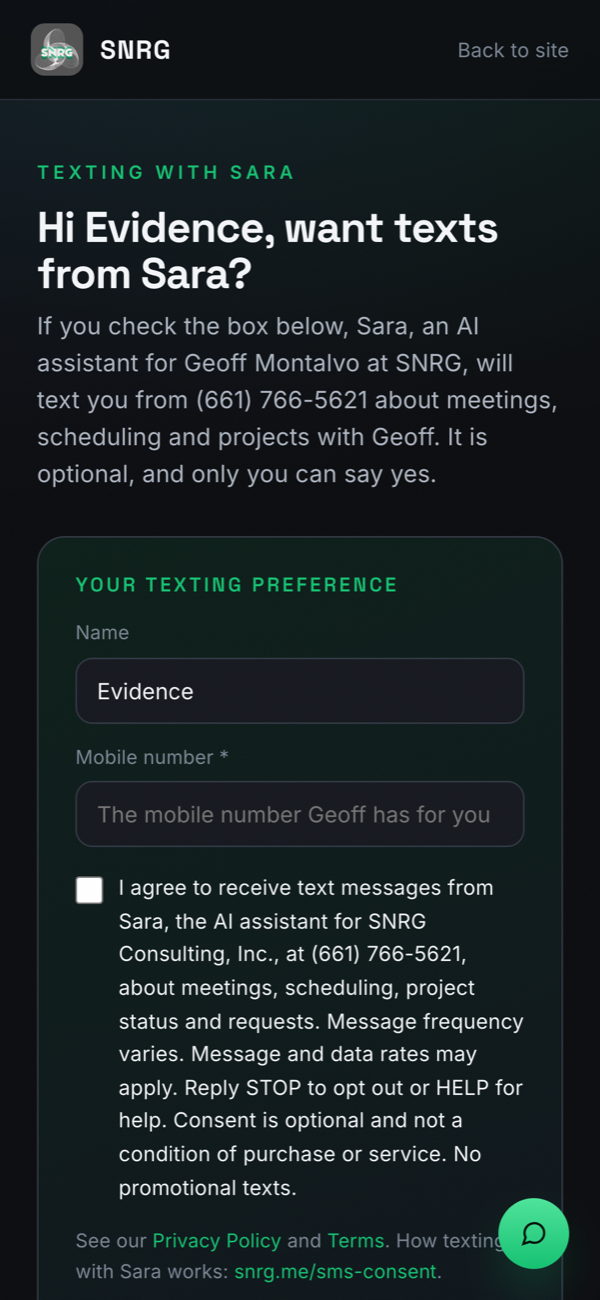
Invite view, mobileOpen full-size mobile screenshot - They tell Geoff directly, in person, on a call, or by email, that Sara may text them about meetings with Geoff, after being told the texts come from Sara, SNRG's AI assistant, at (661) 766-5621. Sara may later ask by text to add projects; only a YES adds them. Geoff records the yes in his own words, naming the person. Someone else saying it is fine never counts. Sara starts using a yes given this way once the carrier registration for her texts is approved. Until then, Sara can email you a personal sign-up link, or you can text her first.
What we keep
SNRG records name, number, date and time, method, and the proof: Geoff's note of the spoken yes, their YES text, or the form version and IP. An illustrative record for each way, in the fields we store. These are examples, not real people's records.
1. Texted first, then replied YES
- Name
- [Name]
- Mobile number
- (***) ***-0122
- Method
- replied_yes (answered Sara's ask in the chat)
- Topics
- meetings_and_projects
- Their words
- YES
- Date and time
- 2026-10-05 10:42 AM Pacific
- Message ID
- SM************************ (Twilio's message ID for their reply)
2. Personal invite link
- Name
- [Name]
- Mobile number
- (***) ***-0122, matched to the number SNRG has for them
- Method
- web_form (checked the SMS box on their personal invite)
- Topics
- meetings_and_projects
- Words agreed to
- The disclosure quoted above, word for word
- Form version
- 2026-10-03-sara-v1 (notice before the box: 2026-10-03-v1)
- Date and time
- 2026-10-05 2:15 PM Pacific
- IP and browser
- 203.0.113.***, Mozilla/5.0 (iPhone ...)
3. Told Geoff directly
- Name
- [Name]
- Mobile number
- (***) ***-0122
- Method
- told_owner_directly (heard by phone)
- Topics
- meeting_logistics (projects only after a later YES)
- Geoff's note of the spoken yes
- "[Name] told me on the phone today that you can text her about meetings."
- Date and time
- 2026-10-05 9:05 AM Pacific, with the ID of Geoff's stored message
Sara's first text, and the confirmation
Sara's first text to each saved contact names SNRG and Sara, says she is an AI assistant, and says msg frequency varies, msg and data rates may apply, Reply HELP for help, Reply STOP to opt out. For example, after an invite yes:
Hi [Name], it's Sara, Geoff Montalvo's AI assistant at SNRG. I'll only text you about meetings and projects with Geoff. Geoff says your new booking page is ready to review. Does Tue at 10 AM or 2 PM Pacific work to walk through it? Msg frequency varies, msg and data rates may apply. Reply HELP for help. Reply STOP to opt out.
A YES to her ask is confirmed with the same terms, in the same chat:
Thanks, you're all set. I'm Sara at SNRG, and I'll text you about meetings and projects with Geoff. Msg frequency varies, msg and data rates may apply. Reply HELP for help, STOP to opt out.
Every text Sara starts is approved by Geoff first and goes out between 8 AM and 8 PM in your time zone. Reply STOP at any time, or tell Geoff you want to stop, and Sara stops texting you.
Frequency, help, and opting out
Message frequency varies. Message and data rates may apply. Reply STOP to opt out of text messages or HELP for help. You can also contact SNRG Consulting, Inc. at info@snrg.me or (661) 535-5344.
Our Privacy Policy explains how we handle mobile information and SMS consent, including that we do not share them with third parties or affiliates for marketing or promotional purposes. Our Terms and SMS program details describe the program and your choices.
This page documents the consent experience. It does not confirm enrollment, message delivery, or registration approval.